

Tyrell Agent
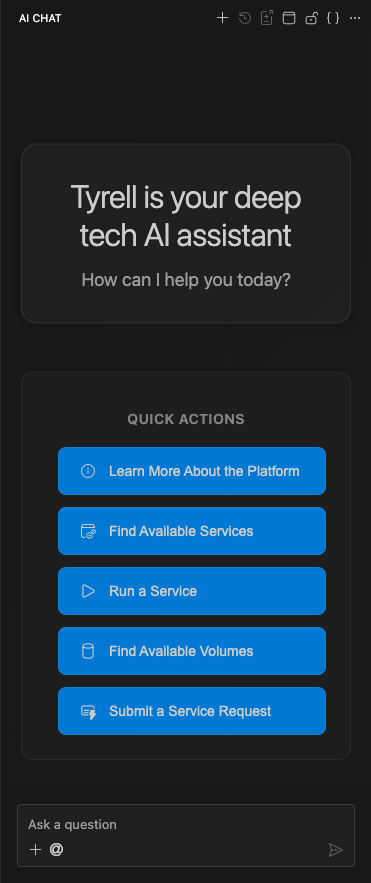
The Tyrell Agent is the AI assistant built into every server in Agent Studio. When you launch a server, the Agent is ready to help — it understands your workspace configuration, has access to your attached services and volumes, and follows the rules you've defined.
How the Agent works
When a server starts, the Agent's context is assembled from multiple sources:
- Rules — Organization, User, Service, and Workspace rules are compiled into the Agent's instructions. These shape how the Agent behaves, what workflows it follows, and what constraints it respects.
- Services — The Agent sees the tools, inputs, and outputs of every service attached to the workspace. It can execute service tool calls on your behalf to process data, run simulations, and more.
- Volumes — Attached volumes are mounted at
/workspace/volumes/, giving the Agent read and write access to shared data. - MCP Servers — Any MCP configurations defined at the Organization, User, or Workspace level are loaded, extending the Agent with additional tools and data sources.
- Agent Skills — Agent Skills attached to the server provide pre-built expertise, giving the Agent packaged capabilities for common tasks.
- Secrets — Secrets are injected as environment variables, making API keys and credentials available to tools and services.
Interacting with the Agent
The Tyrell Agent is accessible through the Web IDE terminal. You interact with it conversationally — describe what you want to accomplish, and the Agent will:
- Plan an approach based on your workspace context and rules
- Execute tool calls using attached services
- Read and write files on the server and in mounted volumes
- Iterate based on your feedback
The Agent maintains awareness of your project through the workspace rules you've written. The more context you provide in your rules, the more effectively the Agent can help.
Customizing Agent behavior
The most effective way to customize the Tyrell Agent is through Rules:
- Organization Rules — Set company-wide standards that apply to all Agents across the Organization.
- User Rules — Define your personal preferences and workflows.
- Workspace Rules — Provide project-specific context, technical requirements, and workflows you'd like automated.
- Service Rules — Define how the Agent should interact with specific services.
Rules are free-form markdown, so you can include anything from coding standards to step-by-step workflows. See Writing effective rules for tips.
Service tool calls
When the Agent needs to perform a complex operation, it calls tools provided by attached services. For example:
- Running a simulation with specific parameters
- Processing an image through a machine learning pipeline
- Generating 3D models from text descriptions
The Agent reads each service's tool definitions (inputs, outputs, and documentation) and constructs the appropriate tool call. Service outputs are written to the /workspace directory where both you and the Agent can access them.
⚠ Warning
Before running a service, the Agent will confirm the output location with you. Always verify that outputs are going to the expected directory.
Connecting with desktop IDEs
The Tyrell Agent runs on the server regardless of how you connect. Whether you use the browser-based Web IDE, VS Code, Cursor, or Windsurf — the Agent is available on the server. Desktop IDE connections use SSH, so you'll need to configure your SSH keys in your Profile settings first.
See Servers for details on connecting with desktop IDEs.