

Rendered.ai Extension
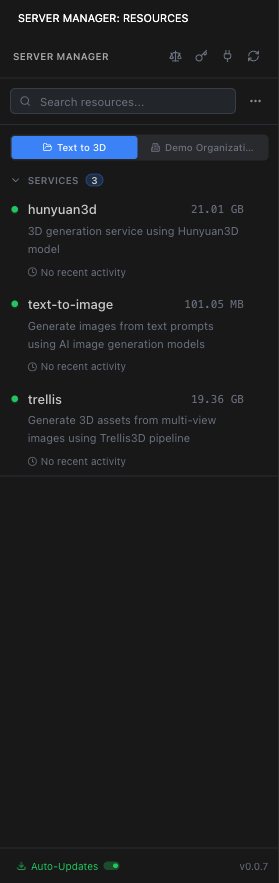
The Rendered.ai Extension is a synchronization component built into every server. It keeps your server's environment in sync with your workspace configuration — ensuring that volumes, services, rules, and secrets are up to date without requiring manual intervention.
What the Rendered.ai Extension keeps in sync
The Rendered.ai Extension manages the connection between your workspace configuration in Deckard and the running server environment:
- Volumes — Mounts and syncs attached workspace and organization volumes to the
/workspace/volumes/directory on the server. - Rules — Keeps the local rules cache in sync with any changes made to Organization, User, Service, or Workspace rules in Deckard.
- Secrets — Ensures environment variables from secrets are available to the server process.
- Service configurations — Maintains the list of available service tools that the Agent can call.
- Agent Skills — Syncs skill packages attached to the server so the Agent has access to the latest capabilities.
How it works
When a server starts, the Rendered.ai Extension:
- Connects to the workspace configuration via the platform API
- Mounts all attached volumes to their expected paths under
/workspace/volumes/ - Syncs the latest rules, secrets, and service configurations
- Monitors for changes and applies updates as needed
This process runs automatically in the background. You do not need to interact with the extension directly.
Volume synchronization
Volumes are the primary data layer managed by the extension. When you attach or detach a volume from a workspace in Deckard, the change is reflected on the server:
- Attached volumes appear under
/workspace/volumes/<volume-name>/ - Detached volumes are unmounted from the server's file system
- File changes within volumes are synced so that data written on one server is accessible from another server in the same workspace
ℹ Note
Volume synchronization relies on the server being connected to the platform. If connectivity is interrupted, changes will sync when the connection is restored.
Service edit mode
When developing a service on a server, the Rendered.ai Extension helps manage the service's local state. Services being edited are stored at /workspace/service/<service-name>/ and the extension tracks the edit mode state so that local changes are preserved correctly.
⚠ Warning
You cannot exit service edit mode through the Agent or terminal. Use the Server Manager extension in the IDE sidebar to leave edit mode.