

Examples
The Examples page provides a library of ready-made templates that help you get started quickly. Browse templates for workspaces, services, volumes, and rules — then create content in your Organization based on them.
To access examples, click Examples in the left sidebar.
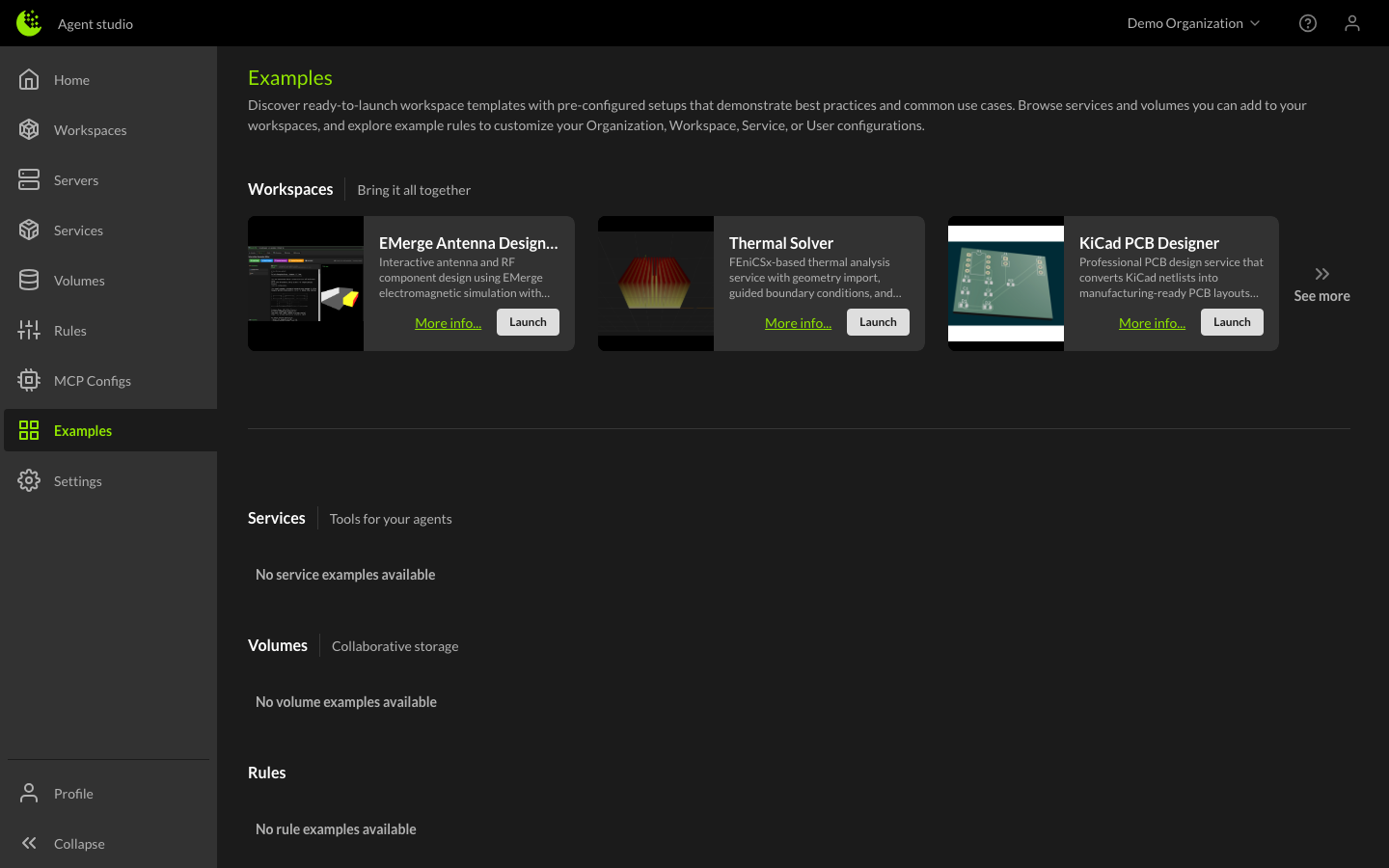
Template types
Workspace templates
Workspace templates provide pre-configured environments with services, volumes, and rules already set up for a specific use case. Launching a workspace template creates a new workspace in your Organization and starts a server automatically, getting you into a working environment in one click.
Service templates
Service templates are pre-built containerized tools that you can import into your Organization. Once imported, a service can be attached to any workspace, making its tools available to your Agents.
Volume templates
Volume templates provide pre-loaded datasets and assets that you can add to your Organization. Once imported, a volume can be attached to workspaces to give Agents access to the data.
Rule templates
Rule templates are curated instructions for common workflows and use cases. Unlike other template types, rule templates are copied to your clipboard so you can paste them into your Organization, User, or Workspace rules and customize them to fit your needs.
Using templates
Featured templates
The Examples page opens with a curated set of featured templates across all four categories. These are hand-picked to showcase common use cases and help new users get started.
Browsing all templates
Click See More on any section to browse the full catalog for that template type. Templates are organized by category to help you find what you're looking for.
Creating from a template
The process varies by template type:
- Click on a template card to see its details, including a description, key features, and documentation.
- Review the template information to make sure it fits your needs.
- Click the action button to create or import:
- Workspace templates: Launch — creates a workspace and starts a server
- Service templates: Import — adds the service to your Organization
- Volume templates: Import — adds the volume to your Organization
- Rule templates: Copy rule text — copies the rule to your clipboard