

Rules
Rules are text-based instructions that shape how Agents work within your environment. They are compiled into the Agent's context at startup, giving you fine-grained control over Agent behavior, workflows, and capabilities.
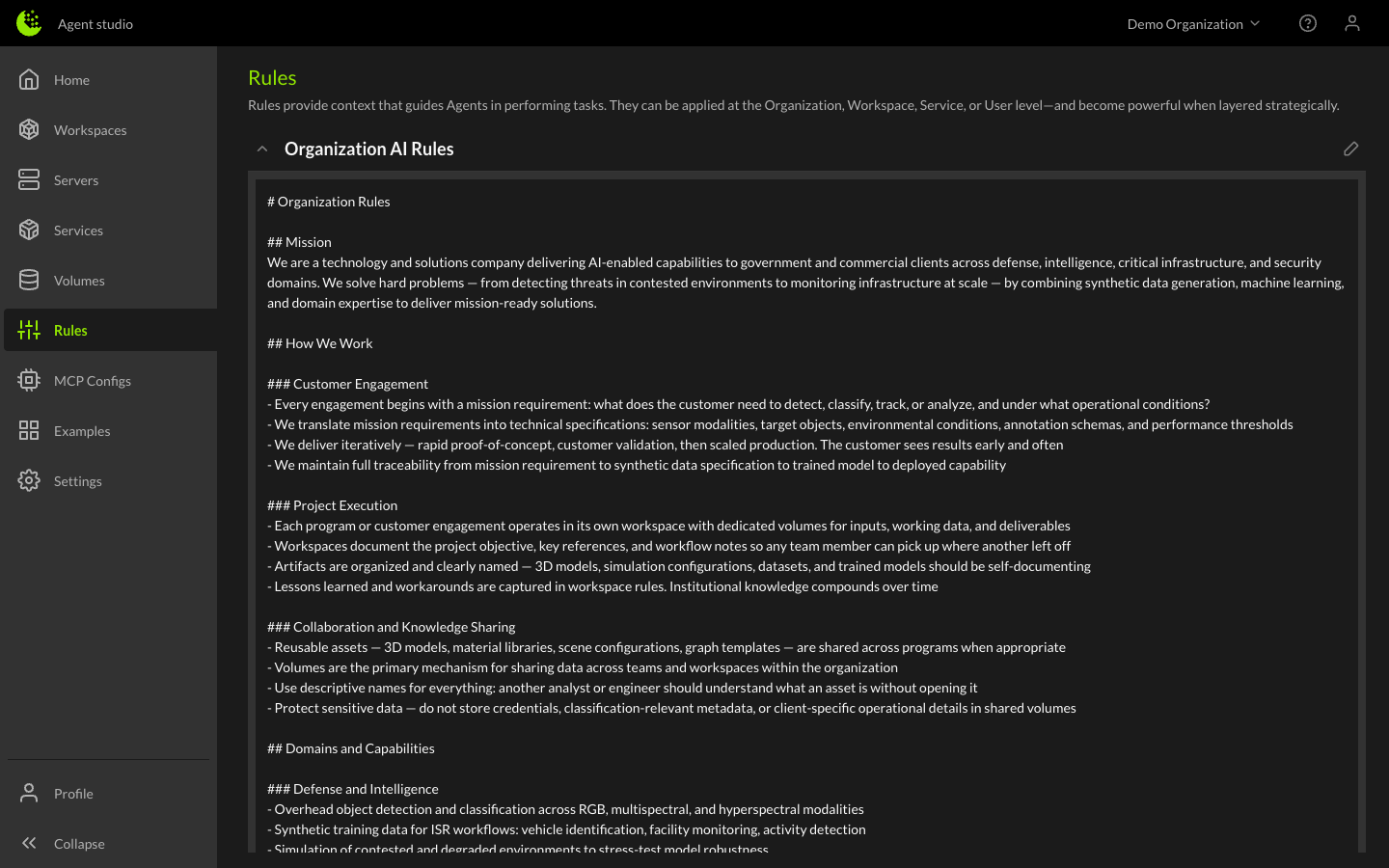
Rule scopes
Rules operate at four levels, each building on the last:
- Organization Rules - Set by administrators, these apply to all workspaces and all users in the Organization. Use these for company-wide standards, security policies, or shared workflows.
- User Rules - Personal rules that apply across all of your workspaces. Use these for your individual preferences, coding style, or personal workflows.
- Service Rules - Rules attached to a specific service that define how the Agent should interact with that service. These are typically set by the service creator.
- Workspace Rules - Rules specific to a single workspace. These are the most targeted level and are a great place to define project-specific workflows, technical requirements, or context about the problem you're solving.
How rules are applied
When a server starts, the Agent's context is built by combining rules from all applicable scopes. More specific rules take precedence — workspace rules can refine or override broader organization rules.
The full hierarchy from broadest to most specific:
Organization → User → Service → Workspace
Managing rules
Organization rules
Organization administrators can edit Organization rules from the Rules page in the left sidebar. These rules affect all users and workspaces in the Organization.
User rules
User rules can be managed from the Rules page. These are personal to your account and apply across all workspaces you access.
Workspace rules
To edit workspace rules, open the workspace details and navigate to the Rules section. Any member with access to the workspace can view and edit workspace rules.
Service rules
Service rules are managed as part of the service configuration and are applied automatically when the service is attached to a workspace.
Writing effective rules
Rules are free-form text that the Agent reads and follows. Some tips:
- Be specific - Clear, concrete instructions produce better results than vague guidance.
- Define workflows - Describe step-by-step processes you want the Agent to follow.
- Set boundaries - Specify what the Agent should and should not do.
- Provide context - The more the Agent knows about your project, the better it can help.