

Domain Adaptation
Domain Adaptation can make synthetic data useful by bridging the domain gap between a digital twin camera and your sensor. Rendered.ai users train CycleGAN models for pixel level domain adaptation from raw synthetic data to domain adapted synthetic data. This tutorial will walk through the steps of uploading a GAN model to a workspace, and generating domain adapted datasets.
Read more about CycleGAN - Unpaired Image-to-Image Translation using Cycle-Consistent Adversarial Networks.
Uploading a GAN Model
Rendered.ai supports PyTorch CycleGAN models for domain adaptation. Many of the models shown in the CycleGAN landing page linked above are available for download. For demonstration purposes, we will use the apple-to-orange pre-trained model available here.
To use the apple2orange.pth model, it must be added to your organization, and then associated with a workspace.
Add a Model to an Organization
Navigate to your organization's GAN Models management space.
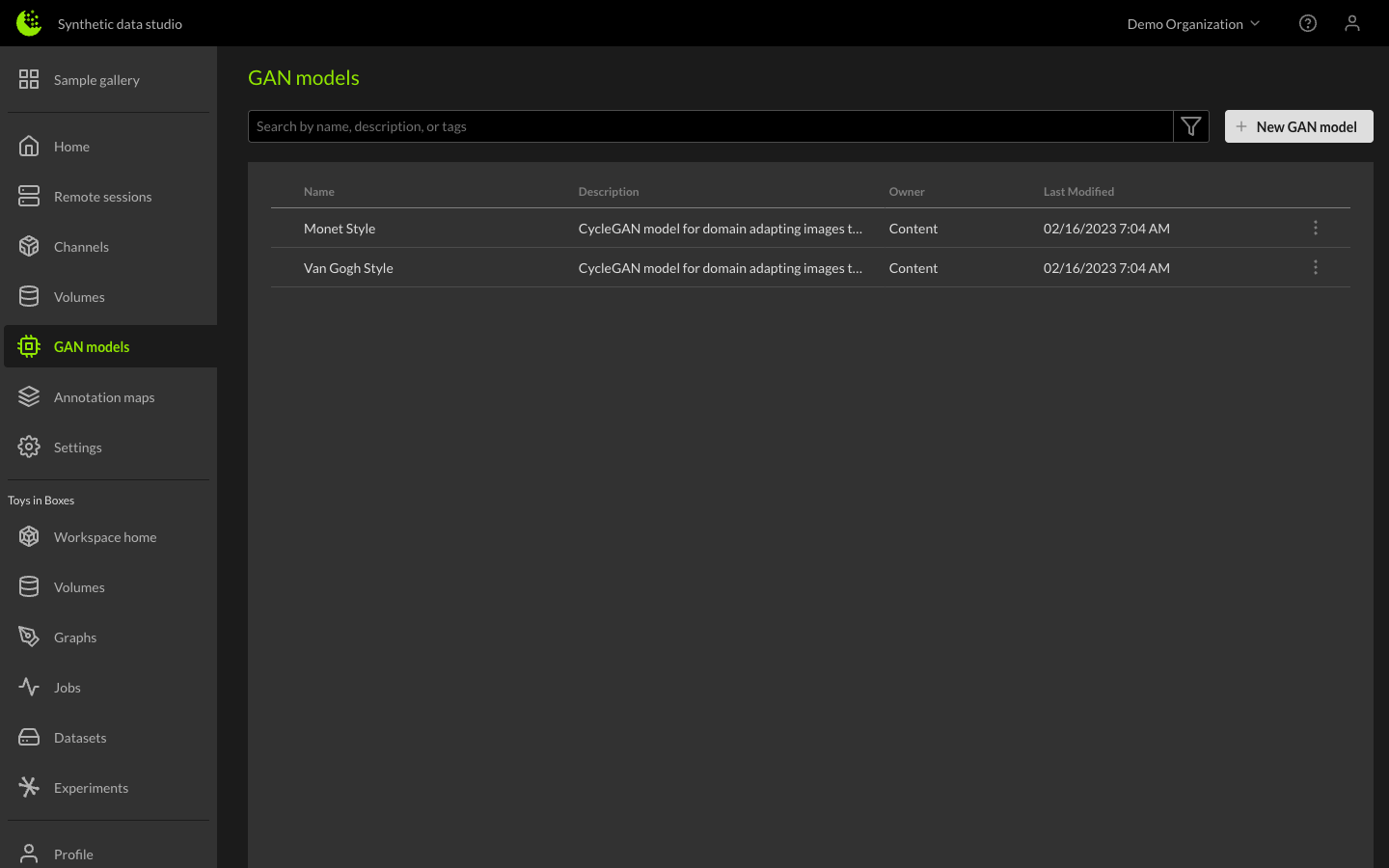
Under your organization (1), find the GAN Model section (2), and click the + New GAN Model button (3).
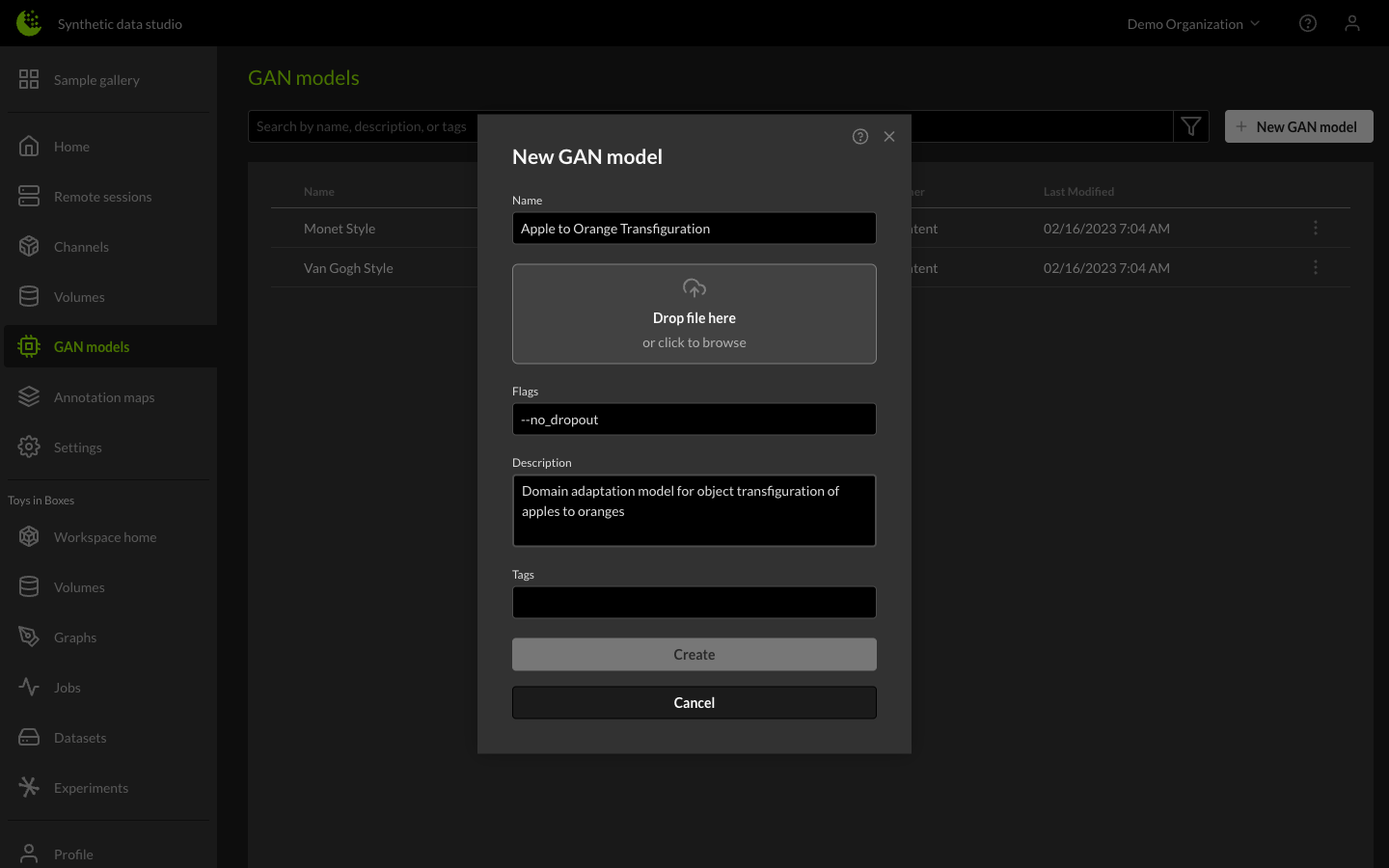
In the new GAN model upload dialog, give the model a name and set the inference flags. The pre-trained CycleGAN models were trained with the --no_dropout flag, so it is required for inference.
Add a Model to a Workspace
Each workspace has various resources, such as channels, annotation maps, and GAN models. To manage these resources, navigate to the organization's workspaces.
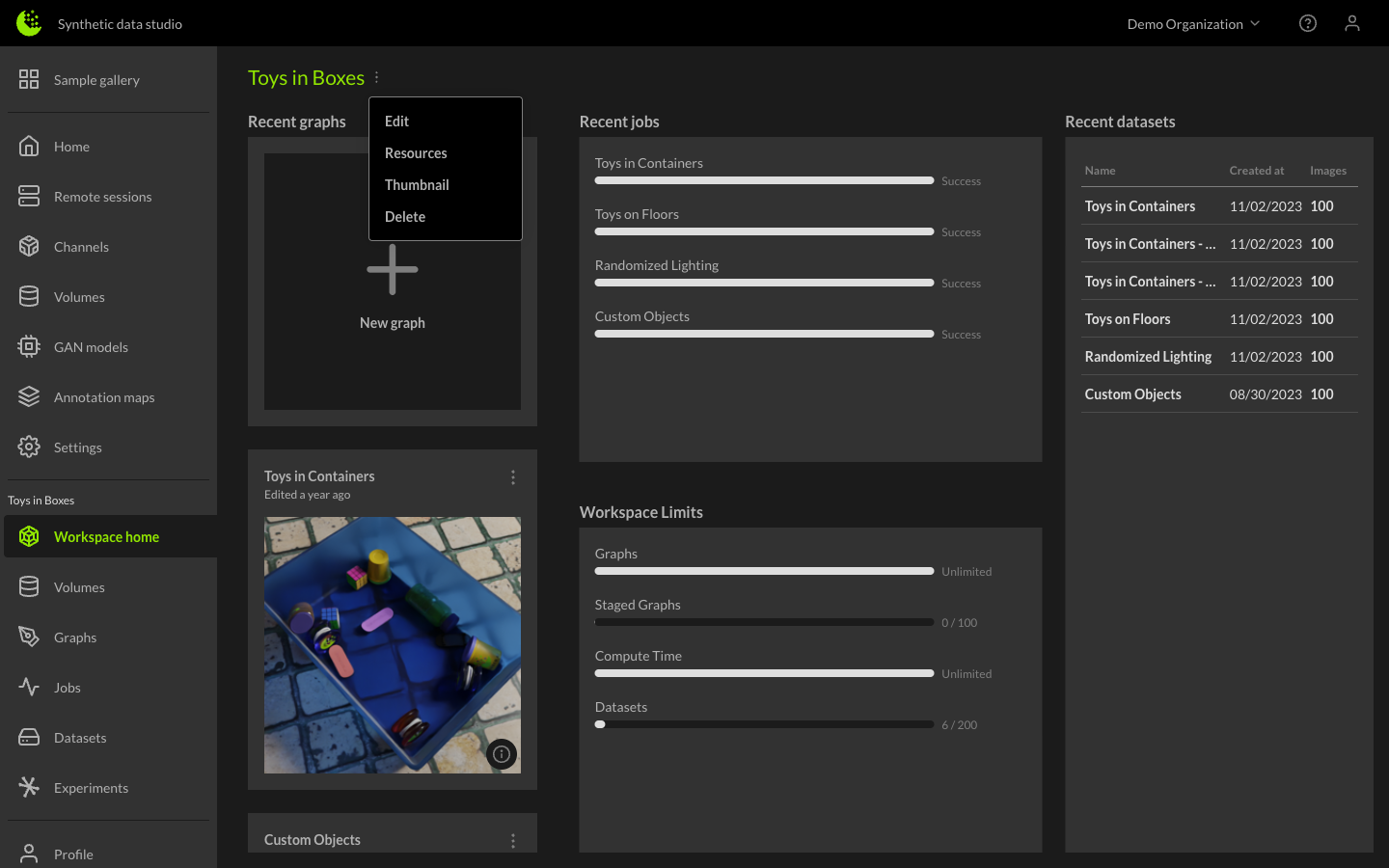
From your workspaces manager, select list mode, select the three vertical dots next to the workspace you want to edit, and select the Resources option.
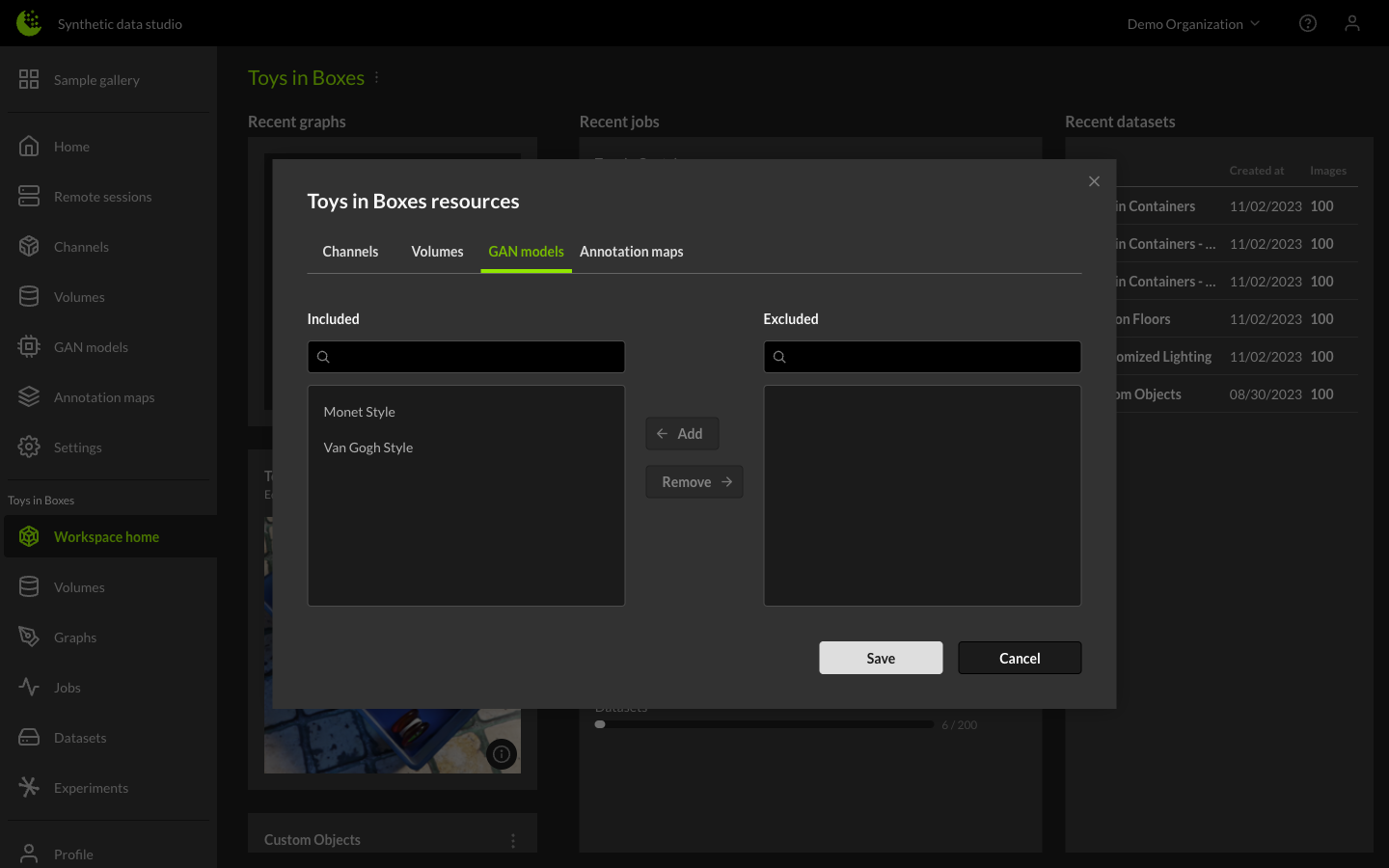
There are two models that come with the content workspace. You can add and remove GAN models from this menu.
Create a Domain Adapted Dataset
The Content workspace comes pre-loaded with some datasets, and the one named Custom Objects is made up of images containing apples. To use the Apple to Orange Transfiguration CycleGAN model, create a GAN dataset based on Custom Objects.
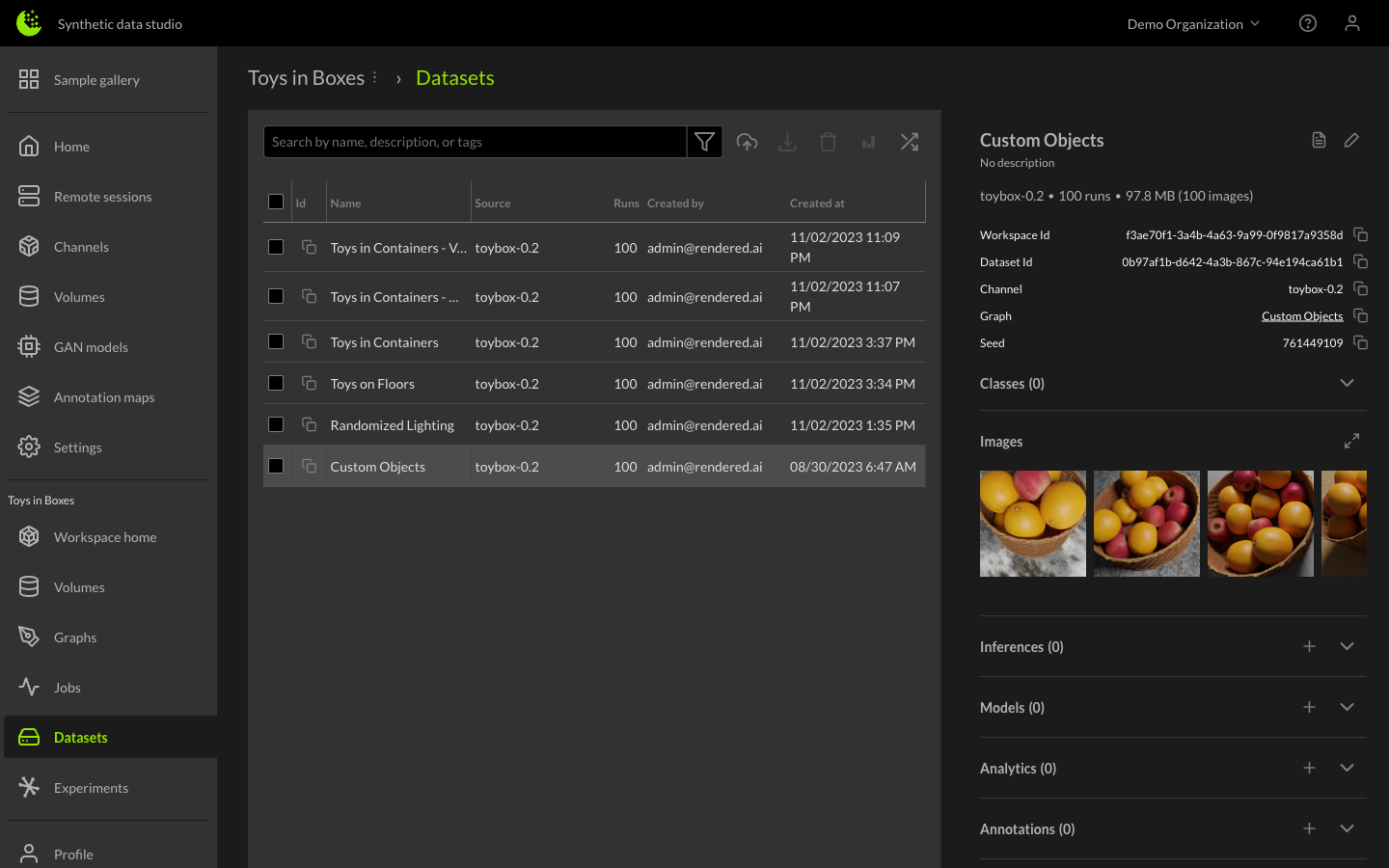
From the Datasets tab in the Content workspace, select the Custom Objects dataset, and open the wizard for creating a GAN dataset.
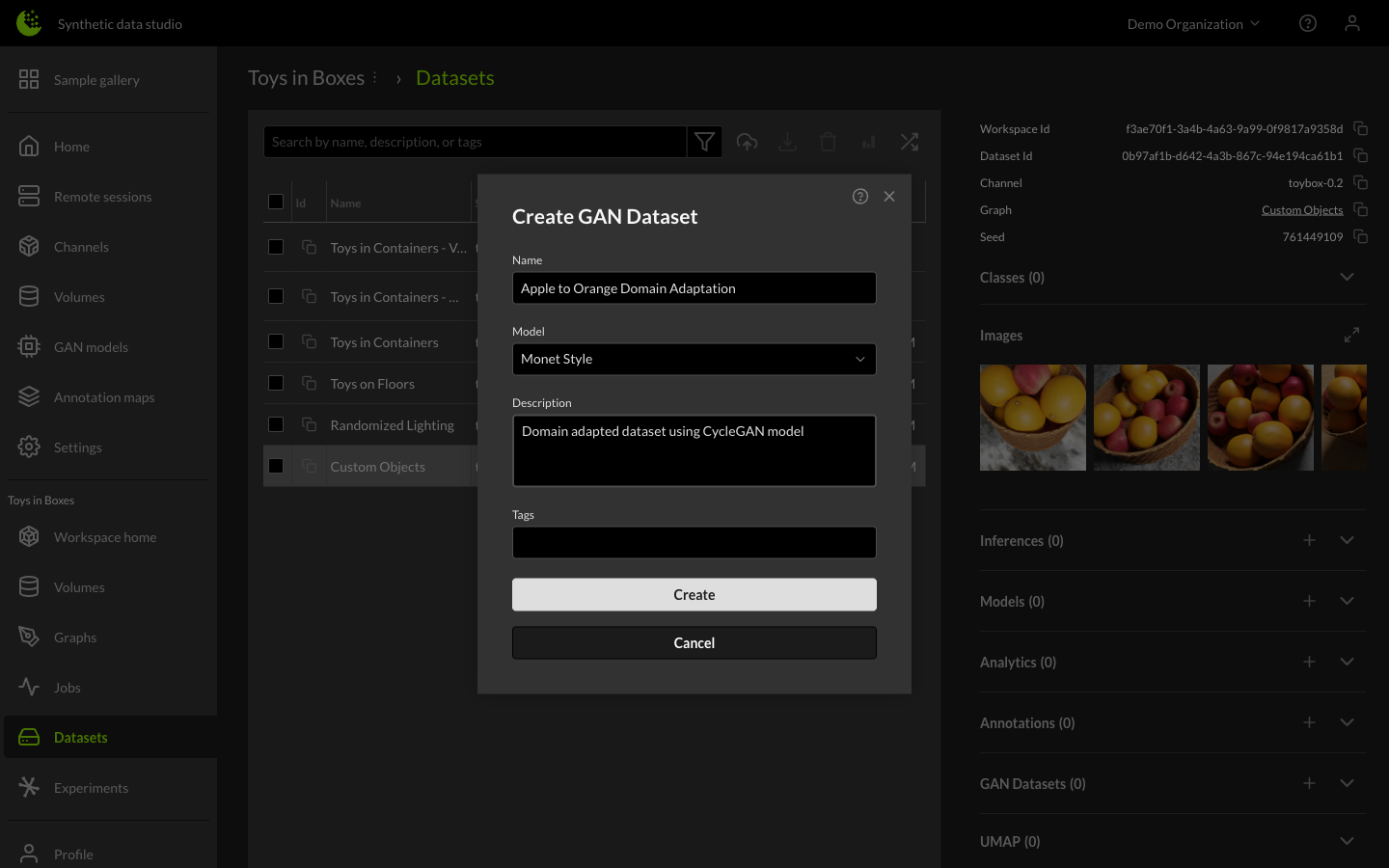
Give the new dataset a name, select the domain adaptation model, and, optionally, give it a description. When the job is complete take a look at the results.
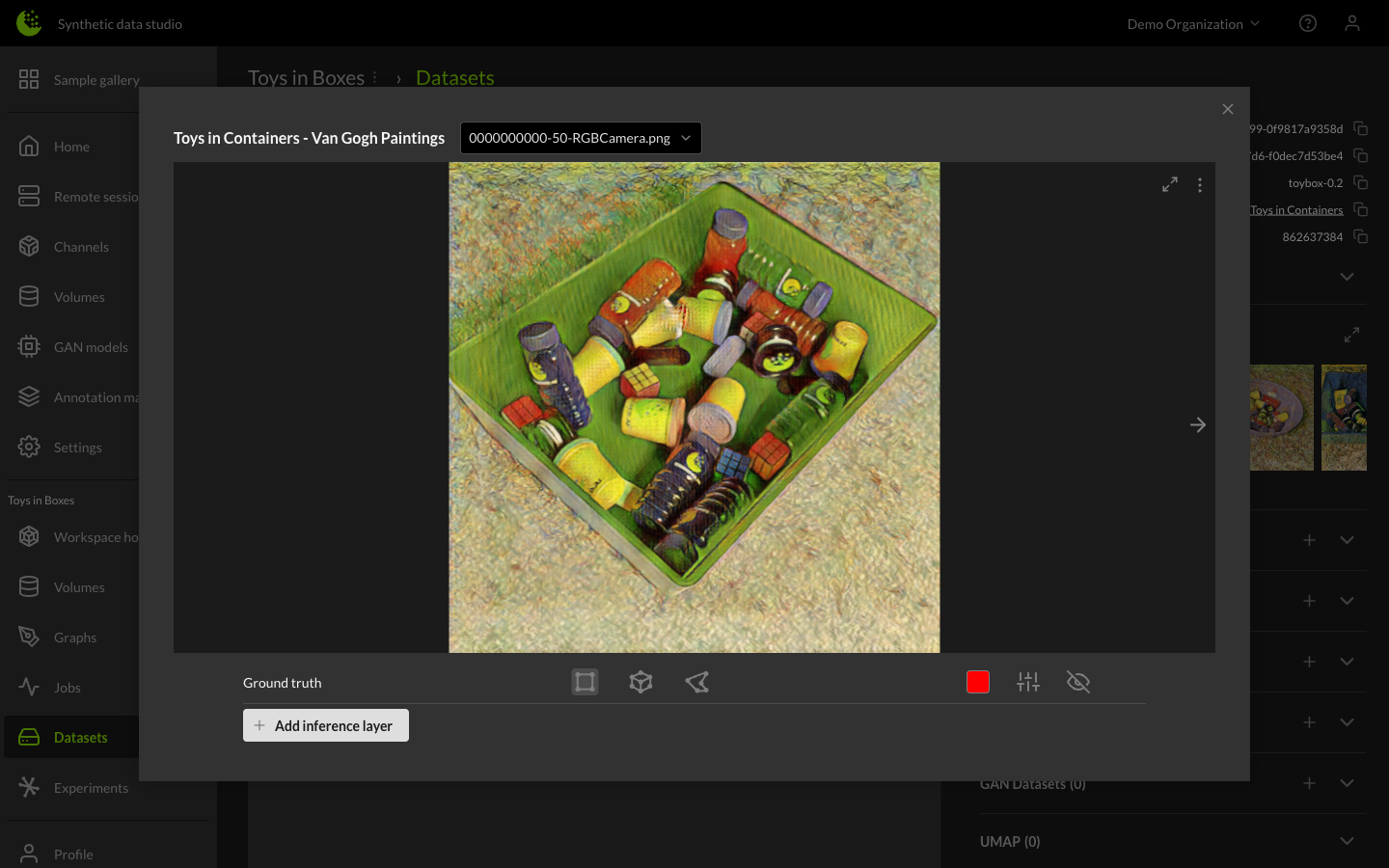
Congratulations! This model can be used in other workspaces or on other datasets. To generate GAN datasets in your ML pipeline, please take a look at our SDK.
- SDK Documentation: https://sdk.rendered.ai/
- SDK Examples: https://github.com/Rendered-ai/resources