

Graph Validation
Rendered.ai provides a way for channel developers to add validation rules to the inputs of their nodes. These rules are checked while Users are modifying the Graph and can alert users that an input is invalid in some way. It is important to note that Graph validation will not block a user from submitting a bad graph for preview, staging the graph to run a job or downloading the graph.
Bad Values
Values entered into an input can be checked for the correct type or a set of rules. If a value is entered that is not the correct type, outside an expected range or set of values then the field is highlighted in red. If you hover over the field you will see an error message indicating what is wrong.
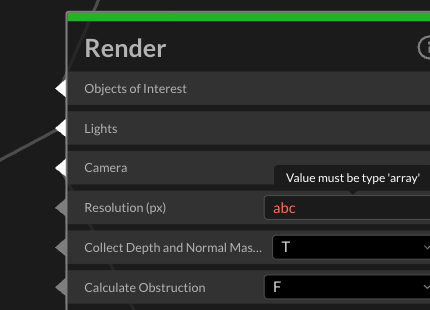
In the example above, the "Resolution (px)" input is an array type. Entering text into this field results in a red highlighted field and hovering over the error icon shows the "Value must be type 'array'" error message.
Bad Links
The number of links connected to an input can be checked. Inputs can be defined to have zero or more links, one link, one or more, etc. If a link validation error occurs then the input will be highlighted in red and an error icon will be displayed in the upper right of the field. Hovering over the icon will display the error message.
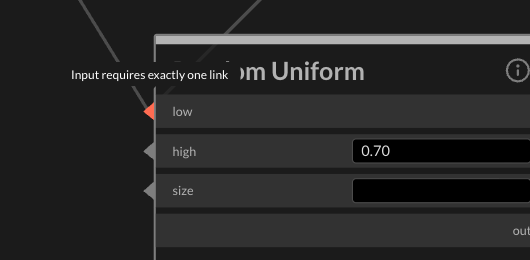
In the example above, the "low" input requires exactly one link for a value or text input. Attaching a second link results in the error message "Input requires exactly one link."